Revised:10/07/2024
Users can quickly create a new budget journal by copying an existing budget journal. This is useful to:
Select the Find an Existing Value button.
The Search page displays.

Enter "STATE" in the Business Unit.
Enter the Journal ID you wish to copy.
Click Search.
The Journal ID page displays.
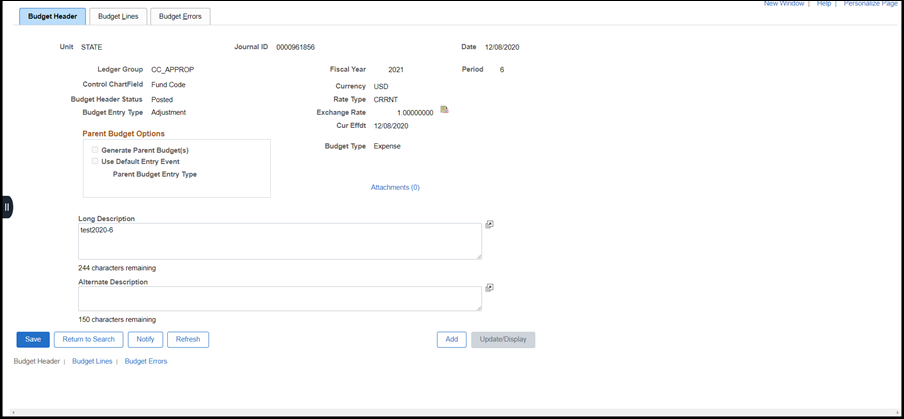
The Budget Lines page displays.

Select "Copy Journal" from the Process dropdown menu.
Click Process.
The Budget Journal Copy page displays.

Enter a meaningful New Journal ID.
Start with the agency BU code, then add something that will help coworkers recognize the Journal ID. For example, for a Forestry transfer, perhaps enter "DNR01FOR15."
Choose a Budget Entry Type.
Click OK.
The system displays a warning message, indicating that there is unsaved data.
Click Cancel to continue.
The system displays a warning message, indicating that the copied budget journal status is incomplete.